If you have ever searched for photo printing Toronto and come back overwhelmed by kiosk chains, pharmacy counters, and big-box upload portals, you are not alone — and in 2026, the gap between a mediocre print and a professionally finished one has never been more visible. Whether you are a small business owner printing branded imagery, an entrepreneur producing marketing collateral, or an organization preserving important visual content, getting a photo print right the first time matters. At Print Grafix, based right here in Scarborough, ON, we work with clients across the entire GTA every day — and we have seen every mistake and every success story. This guide walks you through exactly what to expect from professional photo printing services and how to set yourself up for results you will actually be proud of.
⚡ QUICK ANSWER
Professional photo printing in Toronto means supplying high-resolution files (300 DPI minimum), using the correct colour profile (sRGB or CMYK depending on output), and choosing a paper finish that matches your intended use. Working with a local print shop like Print Grafix in Scarborough gives you hands-on file review, colour-accurate proofing, and fast turnaround — advantages a self-serve kiosk simply cannot offer.
What Actually Makes a Photo Print Look Professional?
A professional photo print comes down to three non-negotiable factors: image resolution, colour accuracy, and the right substrate for the application. When any one of these is off, the final result looks flat, pixelated, or colour-shifted — no matter how expensive the printer is.
Resolution: The 300 DPI Rule
Resolution is measured in dots per inch (DPI), and for any photo print intended to be viewed at close range — think framed prints, branded product photos, or point-of-sale imagery — 300 DPI at the final output size is the industry standard. Submitting a file that is 72 DPI (standard for web images) and expecting a sharp 8×10 print is one of the most common mistakes we see. The file may look crisp on screen because monitors compensate with pixel density, but once it hits paper, the softness becomes immediately apparent.
For large-format applications — banners, signage, wall graphics — the viewing distance increases, so DPI requirements drop accordingly. A banner meant to be read from ten feet away can look excellent at 100–150 DPI. Our team at Print Grafix always reviews submitted files before production and will flag resolution issues before a single sheet goes to press.
Colour Profiles: sRGB vs. CMYK
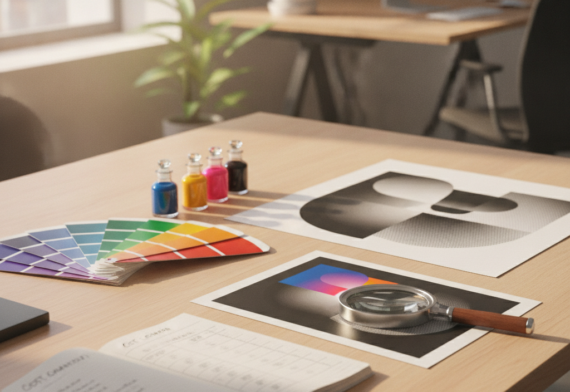
Monitors display colour using light (RGB), while printers reproduce colour using ink (CMYK). If your file is built in RGB and sent directly to a CMYK press without conversion, the output colours can shift noticeably — particularly in saturated blues, vibrant oranges, and rich purples. For most photo printing services, supplying your file in sRGB is a safe baseline; a professional print provider will handle the conversion correctly. If you are working with a designer or have a print-ready file, ask for CMYK at the correct colour profile (typically ISO Coated v2 for commercial offset, or the shop’s specific press profile).
At our Scarborough studio, we walk clients through colour profile requirements as part of every project intake — because catching a colour mismatch before print saves everyone time, money, and frustration.
File Formats That Print Shops Actually Want
The safest formats for print-ready photo files are PDF (with embedded fonts and bleed), TIFF (uncompressed, high resolution), and high-quality JPEG (quality 10 or above in Photoshop export). PNG files are acceptable for images with transparency, but always confirm with your print provider. Avoid sending low-quality JPEGs or files exported directly from social media — those are compressed for screens and will not reproduce well in print.
How Do Paper Finish and Stock Affect the Final Result?
Paper finish is one of the most underestimated decisions in photo printing — and it directly affects how colours appear, how durable the piece is, and what impression it leaves with the viewer. The right finish depends entirely on how the print will be used.
| Finish Type | Best For | Key Characteristic | Durability |
|---|---|---|---|
| Gloss | Marketing materials, product photos, flyers | High shine, vivid colour pop | Moderate — shows fingerprints |
| Matte | Portfolios, wall art, professional reports | No glare, soft refined look | Good — hides handling marks |
| Satin / Semi-gloss | General photo prints, brochures, menus | Balanced sheen, versatile | Good — minimal glare |
| Laminated | Signage, menus, outdoor displays | Protective coating over any base | Excellent — water and scratch resistant |
| Canvas / Textured | Décor, gifts, premium branded items | Artistic texture, premium feel | High — gallery-quality longevity |
Lamination services, in particular, are worth asking about when prints need to survive high-traffic environments. A laminated banner or a laminated menu holds up against moisture, UV exposure, and repeated handling far better than an uncoated print. Our Scarborough team can walk you through every finishing option during your consultation — because finish is never just aesthetic, it is functional.
Why Does Local Beat Self-Serve? The Case Against Kiosks and Big-Box Portals
A local print studio offers something no automated kiosk or online portal can replicate: a real conversation before the job runs. Self-serve kiosks and pharmacy photo stations are convenient for casual snapshot printing, but they offer zero file review, no colour proofing, no paper choice beyond a couple of preset options, and no accountability when the results fall short of expectations.
When businesses and organizations in the GTA come to us searching for picture printing near me, what they are really looking for is confidence — the assurance that a trained eye has reviewed their file, confirmed the specs, and will flag a problem before it becomes a wasted print run. That is exactly what working with a dedicated local print partner delivers.
“A self-serve kiosk will print whatever you give it. A professional print studio will tell you when something is going to go wrong — before it costs you money.”
There is also the matter of consistency. If your business requires branded photo prints across multiple formats — say, a banner, a brochure, and a set of business cards — a local studio can calibrate all output to match the same colour standard. That level of brand consistency is impossible to achieve across three separate self-serve portals.
Online Photo Printing Canada: What to Watch For
Online photo printing Canada services have grown significantly, and many offer genuine value for simple personal orders. However, for business-critical prints, the limitations are real. Shipping timelines add days or weeks to your turnaround. You cannot proof the print before it ships. Returns and reprints involve lengthy back-and-forth. And when your project involves custom sizing, special substrates, or complex finishing, most online portals simply do not support the flexibility a local studio provides.
For GTA-area businesses, working with a local provider in Scarborough means you can drop off files, pick up proofs, and collect final orders — often within the same business day or within 24 to 48 hours. That speed and accessibility is genuinely difficult to replicate through any mail-order service, however polished its website may appear.
What Print Formats Are Available for Business Photo Printing?
Professional photo printing extends well beyond standard 4×6 snapshots. Businesses across the GTA use photo-quality printing for a wide range of operational and marketing needs — and understanding what formats are available helps you plan your print strategy more effectively.
At Print Grafix, our print services span the full spectrum of business print needs. Here is how photo printing intersects with each of our core service categories:
Marketing & Advertising Prints
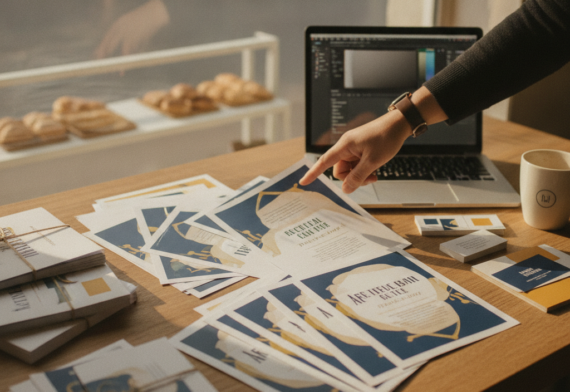
Flyers, brochures, and promotional inserts all rely on photo-quality reproduction to make product images, lifestyle photography, and branded visuals look their best. A poorly printed photo on a flyer undermines the entire message. Our marketing print runs use calibrated colour output to ensure product shots look as accurate on paper as they do on screen.
Signage & Large Format Printing
Banners, posters, and large-format display graphics demand photo-quality printing at scale. Whether you need a trade show backdrop, a storefront banner, or a point-of-purchase display, large format printing requires careful attention to file resolution at the intended output size. Our Scarborough production team handles large format jobs regularly for GTA businesses of every size.
Branded Apparel & Gifts
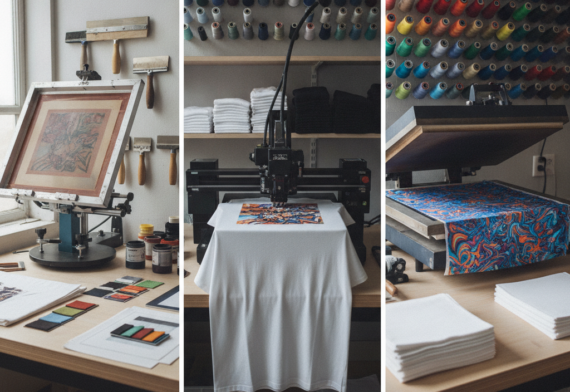
Photo printing on apparel and promotional gifts requires specialized transfer and printing processes to maintain colour accuracy on fabric and non-paper surfaces. Branded gifts featuring photographic imagery — custom mugs, tote bags, apparel — are increasingly popular for corporate events, employee recognition, and customer loyalty programs.
Business Essentials: Cards, Labels, and Stickers
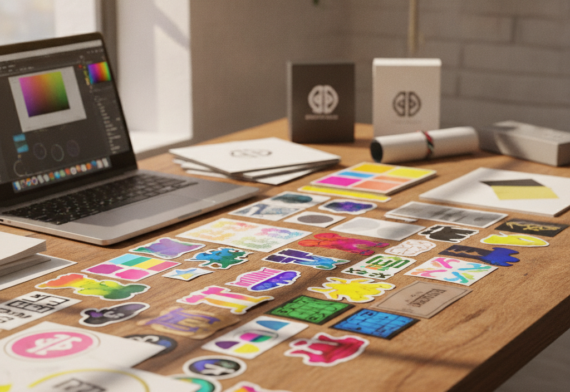
Logo printing and label printing both fall within the photo printing quality standard — particularly when brand marks involve gradient imagery, photography, or complex colour blending. Printed decals, custom stickers, and printed labels all benefit from the same attention to resolution and colour accuracy as any other photo print. If you have been searching for printed decals near me or need high-quality logo output on labels, our team produces these to the same standard as any other print job.
We also provide custom printing for stickers and labels across the GTA — whether you need short-run product labels, promotional stickers, or branded decals for packaging and retail use. Clients searching for sticker printing in Toronto or surrounding areas like Richmond Hill will find that working with a local, full-service studio delivers better results than ordering through an automated online portal.
How to Prepare Your Files for the Best Photo Print Results
Proper file preparation is the single most controllable factor in getting a great print. Send a well-prepared file and you give the press every advantage. Send a poorly prepared file and no amount of printing expertise fully compensates for the problems baked in at the source.
Here is a practical pre-submission checklist our team recommends to every client before sending files for any photo printing service:
- Resolution: Confirm your file is 300 DPI at the intended print size (or 100–150 DPI for large format viewed from a distance).
- Colour mode: Use sRGB for general submissions or ask your print shop for their preferred CMYK profile.
- Bleed: Add at least 3mm of bleed on all sides if the print runs to the edge of the page — this prevents white borders from appearing after trimming.
- Safe zone: Keep critical content (text, logos, faces) at least 5mm inside the trim edge.
- File format: Submit as high-quality PDF, TIFF, or maximum-quality JPEG. Avoid web-exported PNGs for photographic content.
- Embedded fonts: If your photo print includes any text elements, embed or outline all fonts before saving as PDF.
- Proof review: Always ask for a digital or physical proof before a full print run, especially for large quantities.
If any of this feels uncertain, that is exactly what our team is here for. At Www.Printgrafix.Ca, we offer pre-press file review as a standard part of our process — not an add-on or an extra charge. Our Scarborough studio has helped hundreds of GTA businesses avoid costly reprints simply by catching file issues before the job runs. That hands-on, personalized approach is what distinguishes us from every automated alternative.
“The best investment you can make before a print run is five minutes of file review. Getting that step right at the front saves time, money, and reorders at the back.”
For further reference on colour management best practices, the International Color Consortium (ICC) publishes industry standards that professional print studios use to ensure colour accuracy across different devices and output methods.
Ready to Get Professional Photo Prints Done Right?
Whether you need marketing prints, branded materials, signage, labels, or custom stickers, our Scarborough team is ready to help you from file review through to final delivery — with fast turnaround and competitive pricing across the GTA.
✍️ Written by the Print Grafix Team
Print Grafix is a full-service local printing studio based in Scarborough, ON, serving small businesses, entrepreneurs, and organizations across the Greater Toronto Area. Our team brings hands-on expertise in everything from business card printing and flyer production to large-format signage and branded apparel — with a personalized approach and fast turnaround on every project.
Frequently Asked Questions
How do I know if my photo file is high enough quality to print?
Check the file’s DPI at the intended print size in an image editing program like Adobe Photoshop or even a free tool like GIMP. For standard photo prints viewed up close, you need 300 DPI at the final output dimensions. If your file is below that threshold at the size you want to print, it will appear soft or pixelated in the final output. Our team at Print Grafix always performs a file review before production and will advise you if your file needs adjustment — before a single print is wasted.
What is the difference between gloss and matte photo paper?
Gloss paper has a shiny, reflective surface that makes colours appear more vivid and saturated — ideal for marketing materials and product photography prints. Matte paper has a flat, non-reflective surface that gives prints a softer, more refined look — preferred for portfolios, wall art, and pieces where glare would be a problem. Satin sits between the two and is often the most versatile choice for general business photo printing. The right choice depends on where the print will be displayed and who will be looking at it.
Why does my printed photo look different from what I see on screen?
The most common reason is a colour profile mismatch. Screens display colour using light (RGB), while printers reproduce colour using ink (CMYK). Colours that look bright and saturated on a monitor — particularly vivid blues, neons, and certain purples — may shift or appear duller in print because those values fall outside the printable CMYK colour gamut. Working with a professional photo printing service that performs proper colour conversion and offers proofing is the most reliable way to close the gap between what you see on screen and what comes off the press.
Can I order custom stickers, labels, or decals with the same photo print quality?
Yes — and the same file preparation rules apply. Custom stickers, printed labels, and printed decals for product packaging, branding, or marketing all benefit from high-resolution files and proper colour profiles. At Print Grafix, we produce custom stickers and labels with the same attention to colour accuracy and finish quality as any other print product. Whether you are ordering small-run product labels or large-format branded decals, our Scarborough studio handles the full process from design review to finished delivery across the GTA.