When you need copies or printed documents in a hurry, finding a reliable print shop in Scarborough that handles walk-in customers without a complicated process can make all the difference. Whether you are a small business owner, a student, or a community organization, knowing what to bring, what formats are accepted, and what the experience actually looks like will save you time and frustration. This guide breaks down exactly what to expect from walk-in document printing and copying in Scarborough, so you can walk in prepared and walk out with exactly what you need.
Quick Answer
To use a walk-in printing service in Scarborough, bring your files on a USB drive or have them ready to send by email. Accepted formats typically include PDF, Word (.docx), JPEG, and PNG. For best results, PDFs with embedded fonts are preferred. Expect to discuss quantity, paper size, and finish before your job is processed.
What Counts as Walk-In Printing and Who Uses It?
Walk-in printing means you bring your files to a print shop in person, without a prior booking, and have your documents, copies, or materials produced on the spot or within a short turnaround window. It is a practical option for anyone who needs printed materials quickly and does not want to navigate a lengthy online ordering system or wait for a courier delivery.
The customers who use walk-in printing services in Scarborough most often include small business owners who need a quick run of flyers or business cards before an event, entrepreneurs printing contracts or proposals for a same-day meeting, nonprofit organizations producing membership forms, and individuals who need personal documents like resumes or tax summaries copied and organized.
At Print Grafix, we regularly serve clients across the Greater Toronto Area who search for a trusted source for printing documents near me and need a local team that can move quickly. Walk-in and same-day service is a core part of how we operate because we understand that business does not always follow a schedule.
Walk-in printing is distinct from large commercial production runs. It is best suited for quantities ranging from a single copy to a few hundred pieces. For larger campaigns involving banners, branded signage, or bulk marketing materials, a brief consultation with the print team first helps ensure the job is set up correctly and priced accurately.
What Files and Formats Should You Bring?
The single most common cause of printing delays is arriving with a file that is not print-ready. Bringing the right format from the start keeps your job moving and avoids the need for on-the-spot corrections.
PDF is the most universally accepted format at any professional print shop, and for good reason. A properly exported PDF locks in your fonts, images, and layout so nothing shifts during production. If you are printing from a Word document, PowerPoint, or Canva design, export it as a PDF before you arrive. This one step prevents the majority of formatting surprises.
Image files in JPEG or PNG format are also widely accepted for photo prints and marketing pieces, but resolution matters. For standard print quality, your image should be at least 300 DPI (dots per inch) at the final print size. A 72 DPI image pulled from a website will look blurry when printed, regardless of how sharp it appears on a screen.
Here is a practical overview of common file formats and their typical use cases for walk-in printing:
| File Format | Best Used For | Print-Ready? | Notes |
|---|---|---|---|
| Documents, brochures, flyers, business cards | Yes (preferred) | Embed fonts; use bleed settings for edge-to-edge designs | |
| JPEG / JPG | Photo prints, visual marketing pieces | Yes, if 300 DPI+ | Avoid low-resolution web images |
| PNG | Logos, graphics with transparent backgrounds | Yes, if 300 DPI+ | Great for brand assets; transparent layer preserved |
| DOCX (Word) | Text-heavy documents, forms, reports | Conditionally | Export to PDF first to prevent font and layout shifts |
| AI / EPS / SVG | Vector logos, large format artwork | Yes | Ideal for scalable designs; best for banners and signage |
In terms of delivery method, a USB drive is the most reliable option because it does not depend on a network connection or email file size limits. If your files are large (such as banner artwork or multi-page booklets), uploading them via a file-sharing link such as Google Drive or WeTransfer before you arrive can also speed up the process. Many local print shops also accept files by email for straightforward jobs.
How Does the Walk-In Process Actually Work?
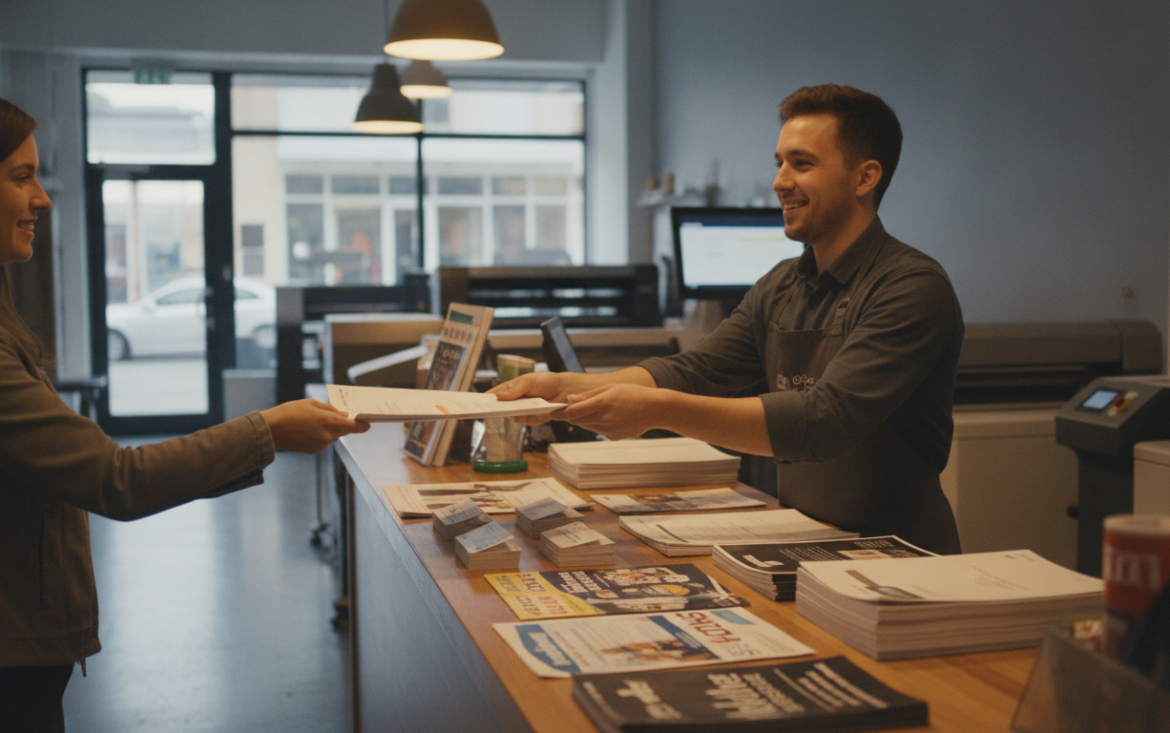
The walk-in process at a local print shop is straightforward: you arrive with your files, speak with a team member about your specifications, review a proof if needed, and either wait for your job or return for pickup. Understanding each step helps you budget your time accurately.
Step 1: Bring Your Files and Key Details
Walk in with your files stored and ready to hand over. Beyond the digital files, it helps to know in advance what you need: the quantity of copies, the paper size (letter, legal, tabloid, or custom), whether you want single-sided or double-sided printing, and whether you need any finishing such as stapling, folding, or lamination.
If you are reproducing an existing physical document rather than a digital file, bring the original. High-quality scanning equipment can produce clean digital copies that are then printed to your specifications.
Step 2: Confirm Specifications With the Print Team
A short conversation at the counter ensures the team understands your expectations. This is where you decide on paper weight (standard 20 lb bond for documents, heavier cardstock for business cards or menus), colour versus black and white, and any special finishing requirements. If you are unsure about any of these choices, the team can guide you based on the purpose of the piece and your budget.
For anything beyond straightforward document copies, such as custom flyers, branded brochures, or marketing materials, a quick review of your design file before printing is standard practice. This catches issues like missing bleed areas, incorrect colour modes (RGB versus CMYK), or low-resolution images before they affect the final product.
Step 3: Proof, Approve, and Collect
For simple document copies, production typically begins immediately after the job details are confirmed. For more complex print jobs, particularly anything with custom design elements, the shop may produce a physical or digital proof for your review and approval. Taking a moment to review a proof carefully is worth the extra few minutes; it is far easier to correct an issue before a full run is printed.
Once approved and printed, your job may be collected in-store or arranged for local delivery depending on the shop’s service model. At Print Grafix, our team coordinates both pickup and delivery options for clients across the GTA, so the most convenient arrangement for you is part of the conversation.
A print-ready PDF, a clear quantity, and a preferred paper size are the three things that will get your walk-in job processed faster than anything else.
What Types of Documents and Print Jobs Can You Bring In?
Walk-in printing covers a wide range of document and marketing needs, not just basic black-and-white photocopies. A full-service local shop handles everything from single-page copies to multi-page booklets, branded materials, and presentation folders.
Common walk-in jobs include standard document copying, resume printing, proposal packages, and form reproduction. Beyond documents, small businesses frequently bring in designs for flyer printing, brochure printing, and business card printing. These are fast-turnaround products that do not always require a lengthy advance order when produced at a local shop rather than a large online print-on-demand platform.
Our Where Can You Print Documents, Copies, or Photos? Your Options Explained guide covers the full range of printing destinations available in the GTA, which can help you identify the right fit for your specific need.
For businesses planning a promotion or event, walk-in service also extends to banners and large format printing. If your event is days away and you need a retractable banner or a vinyl banner for an outdoor display, working with a local shop that handles large format printing in Toronto and the surrounding area means you do not have to absorb long shipping timelines. Our guide on Banner Printing: Sizes, Materials, and How to Order for Your Next Event or Promotion walks through what to consider before ordering.
Additionally, clients throughout the GTA seeking custom printing for branded apparel, gifts, and signage will find that a full-service shop consolidates the entire process. Rather than sourcing a designer separately, managing a print vendor, and arranging delivery independently, working with one team from concept through completion reduces both cost and coordination time.
Why Choose a Local Print Shop Over an Online Printing Service?
Local print shops offer something online platforms cannot: a direct conversation with a person who reviews your files, asks the right questions, and takes responsibility for the output before the job runs. For small businesses and organizations that cannot afford misprints or wasted time, that accountability matters.
Online printing services are built for high-volume, standardized jobs. They work well when your artwork is flawless, your specifications are fixed, and you can wait for shipping. The experience breaks down when you have a question about paper stock, need a quick revision to your design, or discover a file issue that could have been caught before printing 500 flyers.
A local print shop operating as a full-service studio handles design corrections, file preparation, and printing under one roof. For clients in Scarborough and across the GTA searching for reliable custom printing in Toronto, that integrated capability is a meaningful advantage. There is also no ambiguity about delivery timelines. When you are working with a local team, turnaround expectations are clear and can often be accommodated same-day for standard jobs.
From a cost standpoint, local shops are frequently competitive with online services once you factor in shipping fees and the cost of reprinting if something goes wrong. For branded materials in particular, such as business cards, letterhead, or marketing collateral, the ability to review a physical proof and approve it in person before full production is a safeguard that online ordering does not provide in the same way.
For businesses that need a broader view of signage and large format options, our guide on Sign Printing in Toronto: How to Choose the Right Format, Material, and Size for Your Business provides a detailed breakdown to help you make informed decisions before you order.
At Print Grafix, our approach is built around exactly this kind of personalized service. Every project, regardless of size, is handled with attention to detail and a commitment to getting it right. That is what separates a local studio from an automated online platform, and it is why businesses across Scarborough and the GTA continue to bring their printing needs to us.
Ready to Print? Let’s Get Your Job Done Fast.
Bring your files, your specs, or just your idea, and our team will handle the rest. Print Grafix serves small businesses, entrepreneurs, and organizations across Scarborough and the GTA with fast turnaround, competitive pricing, and hands-on service from design through delivery.
Written by the Print Grafix Team
The Print Grafix team operates a full-service printing studio in Scarborough, ON, serving small businesses and organizations across the Greater Toronto Area. We write from direct experience in custom printing, large format production, and fast-turnaround branded materials.
Frequently Asked Questions
What is the best file format to bring to a walk-in print shop?
PDF is the most reliable format for walk-in printing because it preserves your layout, fonts, and images exactly as designed. If your original file is in Word, PowerPoint, or Canva, export it to PDF before arriving at the shop. For image-heavy jobs, JPEG or PNG files at 300 DPI or higher will also produce clean print results. Vector formats like AI or EPS are ideal for logo-heavy designs and large format output where scaling is required.
How long does walk-in document printing typically take?
For straightforward document copies and standard print jobs, turnaround can be very fast, often completed while you wait or within the same business day. More complex jobs, such as multi-page booklets, custom business cards, or large format banners, may require additional production time. The best approach is to call or message the shop before you arrive with the specifics of your job, so the team can give you an accurate timeline and have everything ready when you need it.
Why do my printed colours look different from what I see on screen?
Screen displays use RGB (red, green, blue) light to render colour, while commercial printing uses CMYK (cyan, magenta, yellow, black) inks. The two systems produce colour differently, so an image that looks vibrant on screen can appear slightly different on paper. To minimize this discrepancy, design your files in CMYK colour mode from the start and ask the print team about colour proofing if accurate colour matching is important for your project.
Can I get help with my design if my file is not print-ready?
Yes. A full-service print shop can assist with file preparation and basic design adjustments to make your artwork print-ready. If your project requires more extensive design work, such as creating a brochure layout from scratch or setting up a banner template, that is also something a local studio like Print Grafix can handle. Working with a shop that offers both design and printing under one roof means you are not managing two separate vendors, and the design is built specifically to meet print production requirements from the start.